How to Register SSO ID Rajasthan– Complete Step-by-Step Guide
🏛️ Quick Summary: SSO Registration
Registration Portal: sso.rajasthan.gov.in
Cost: Free of cost (₹0)
Primary Documents: Jan Aadhaar (Recommended), Aadhaar Card, or Google Account.
Eligibility: Residents of Rajasthan, Business owners, and State Employees.
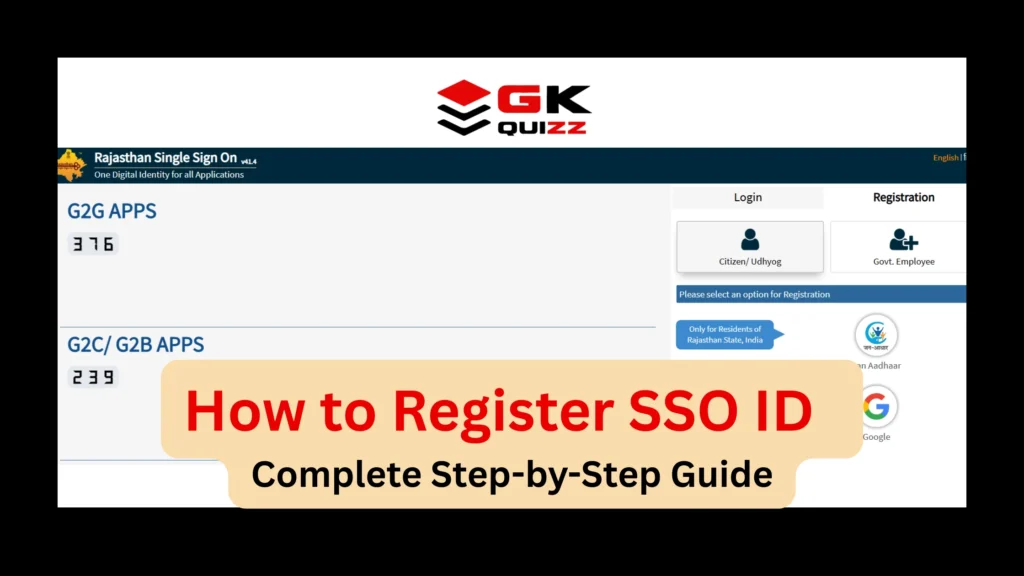
How to Register SSO ID Rajasthan (2026) – Complete Step-by-Step Guide
Creating a Rajasthan SSO ID is the first step toward accessing government jobs, scholarships, and digital services in Rajasthan. If you don’t have an ID yet, this guide will help you create one in less than 5 minutes.
1. Documents Needed for Registration
Before you start, ensure you have one of the following:
- For Citizens: Jan Aadhaar Card (Must for scholarships) or Aadhaar Card.
- For Businesses: Business Registration Number (BRN).
- For Govt Employees: SIPF ID and Date of Birth.
- Mobile Number: Must be linked with your Aadhaar/Jan Aadhaar for OTP verification.
2. How to Register SSO ID Rajasthan (Step-by-Step Guide)
Follow these steps to register your account safely:
Step 1: Visit the Official Portal
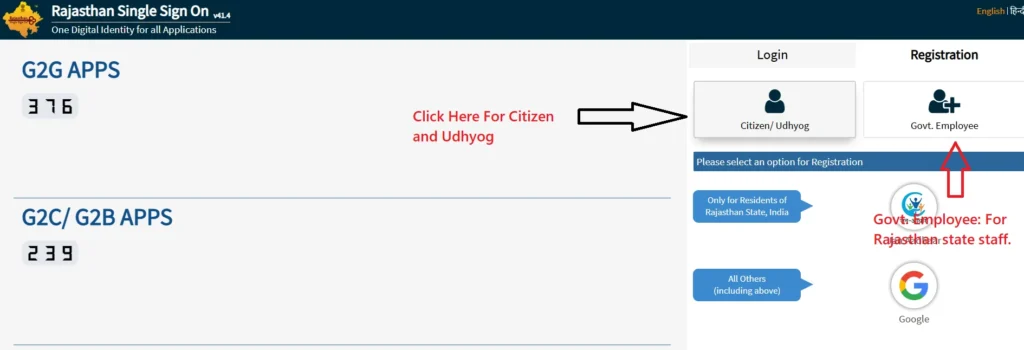
Go to the official website: sso.rajasthan.gov.in. Click on the “Registration” tab next to the Login button.
Step 2: Select Category
Choose your category:
- Citizen: For students and general public.
- Udhyog: For business owners.
- Govt. Employee: For Rajasthan state staff.
Step 3: Choose Registration Method
The most popular way is using Jan Aadhaar.
- Select the Jan Aadhaar option.
- Enter your Jan Aadhaar ID or Enrollment ID.
- Select your name from the member list.
- Enter the OTP received on your registered mobile.
Step 4: Set Your SSO ID (Username)
The system will suggest a username. You can change it if it’s available. Note: Once set, your SSO ID cannot be changed easily.
Step 5: Set a Strong Password
Create a password that includes:
- At least one Uppercase letter (A)
- At least one number (1)
- At least one special character (@, #, $)
Step 6: Final Submission
Enter your mobile number or email for confirmation and click “Register.” You will receive a confirmation message with your new SSO ID.
3. Registering via Google (For Non-Residents)
If you are from another state and applying for a Rajasthan govt job (like RPSC):
- Select ‘Citizen’ and click on the Google Icon.
- Log in with your Gmail account.
- Set your password and you’re done!
4. Common Registration Errors & Fixes
- “Identity Already Exists”: This means you already have an SSO ID linked to your Aadhaar. Use the “Forgot SSO ID” tool instead of creating a new one.
- OTP Not Received: Check if your mobile number is updated in the Jan Aadhaar portal.
- Data Mismatch: If your name/DOB is different in Aadhaar and Jan Aadhaar, the registration might fail. Update your documents first.
5. Frequently Asked Questions (FAQ)
Q1. Registration ki fees kya hai?
Ans: Rajasthan SSO registration bilkul free hai. Kisi bhi e-Mitra ya person ko iske liye paise na dein.
Q2. Kya Jan Aadhaar bina registration ho sakta hai?
Ans: Haan, aap Aadhaar ya Google ID se register kar sakte hain, lekin scholarship ke liye baad mein Jan Aadhaar link karna hi padega.
Q3. Ek mobile number se kitni SSO ID ban sakti hain?
Ans: Ideally, ek person ki ek hi ‘Aadhaar-linked’ ID honi chahiye.
Q4. Username change kar sakte hain?
Ans: Nahi, registration ke baad Digital Identity (Username) change karna mushkil hota hai, isliye ise dhyan se chunien.
Next Steps & Internal Links
Registration ke baad aapko login karke apni profile complete karni hogi.
- Already Registered? SSO ID Login Rajasthan – Step-by-Step Guide
- Password Bhool Gaye? How to Reset SSO ID Password
- Everything in One Place: Ultimate Rajasthan SSO Portal Guide
Disclaimer – This website is not run by the government. It is an independent site that aims to provide information about SSO Portal Rajasthan to the public in easy language.